Simplify Your Life
With Graber Motorization
Life is busy. Closing and opening window treatments to maximize comfort, energy efficiency, security, and more may be just one more thing you don’t want to worry about. Fortunately, with Graber’s white glove service, you don’t have to do a thing to enjoy the convenient benefits of automated light control.
Why Choose Graber Motorized Shades?

Control at Your Fingertips
Control a single shade—or a whole house full of shades—from your phone or tablet.
Smart Timers
Create routines and time-based schedules.

Smart Home Integration
Connects with 14 different smart home systems including Alexa, Google, Control4.
*Gateway required

Control From Anywhere
Raise and lower shades from across town or the other side of the world.
*Gateway required

Energy Efficiency
Motorization makes it easier to close your shades so you can benefit from their insulating properties.

Security
Set shades to open and close while away from home for increased security.

Safety
Motorization eliminates control cords, making it the ideal window-treatment solution for households with children and pets.

Quick Start
Easy step-by-step instructions to set up and control shades, devices, and gateways.
Motorized Control Options
Scroll the table left or right to see other options.
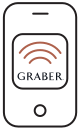
App & Gateway |
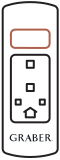
Remote |
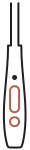
Motorized Wand |
|---|---|---|
| Available with all Graber Shades (including drapery), this option offers a whole home solution and is compatible with both Android and iOS, as well as voice assistants like Amazon Alexa and Google Assistant. | Available with all Graber Shades (including drapery), remote controls can be paired to operate anywhere from 1-24 shades, making it ideal for both single shades, as well as the entire home. | This option is only available on Graber Cellular, Pleated, Solar, and Roller Shades. One wand per shade. Motorized wands can be ordered in four lengths, as well as in black or white. |

A Day in the Life with
Graber Smart Shades
7 am: Wake up to natural light with shades that go up automatically, every morning at sunrise.
10 am: Set your shades to block out that mid-morning glare on your laptop—just in time for your weekly Zoom call.
6 pm: A motorized wand can provide quick and easy access to relief from the setting sun, allowing you to enjoy a quality family dinner.
10 pm: After dark, enjoy complete privacy in every room–even rooms with drapery!—without lifting a finger.
Compatible Smart Home Devices















Frequently Asked Questions
To pair a new shade with your remote, first, reset the remote by pressing and holding the button for 15 seconds. Once the LED stops flashing, release. The LED will flash green, amber, and red before turning off. Then on the new shade, press and hold the program button for 7 seconds. When the shade jogs, release. On the remote, quickly press and release the program button twice until the LED flashes amber and green. Then press and hold the program button on the shade for 3 seconds. When the LED flashes green, release. The shade will jog once and all LEDs will then turn off. The shade is now paired with the remote.
To pair your shade with a 12-channel or premium remote, first, press and hold the program button on your shade for 7 seconds. When the shade jogs, release. Then press and hold the MENU/RIGHT button for 2 seconds on the remote. Select ZWAVE > INCLUDE. On the shade you want to pair, press and hold the program button for 3 seconds. When the LED flashes green, release. Repeat as necessary for each shade you want to pair.
Need More Help?
Visit our new customer support site for answers.
